Get a clear headcount fast by text
Send photo invites or simple sign-ups in a text conversation people actually reply to. No apps. No logins. No chasing people down.

Choose the simple text workflow you need
GroupText keeps things simple: send an invite and collect replies, or create a signup and let people claim a slot by text.
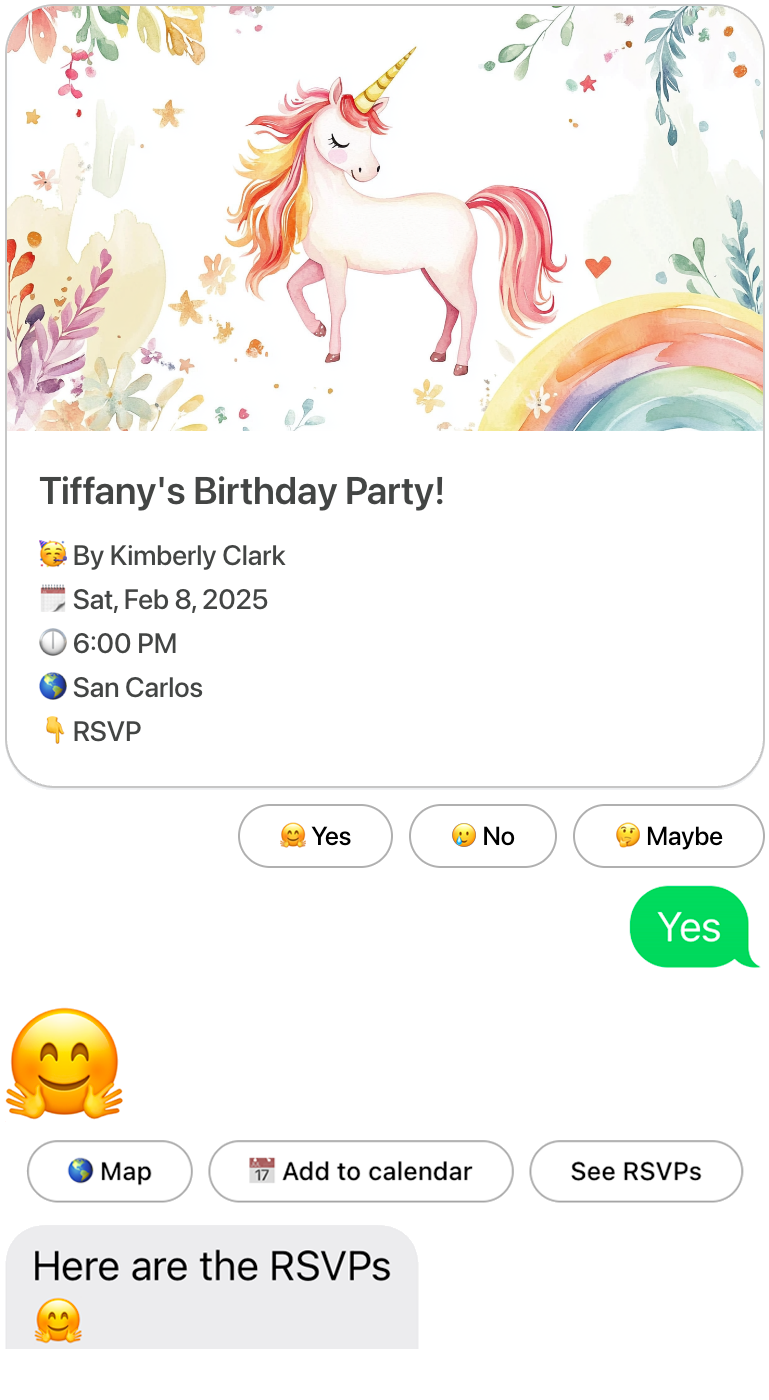
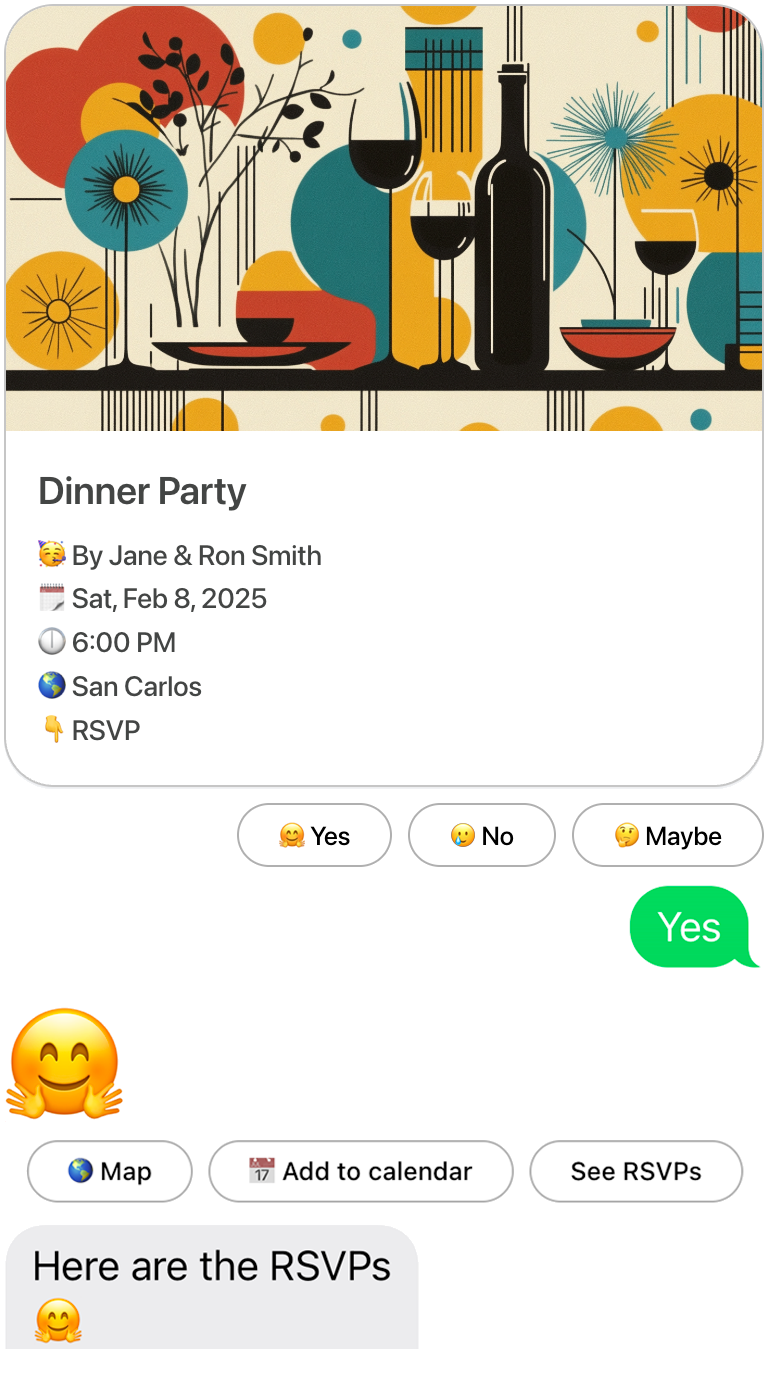
Send a photo invite and get replies in the same thread
Great for birthdays, parties, weddings, showers, and simple church events.
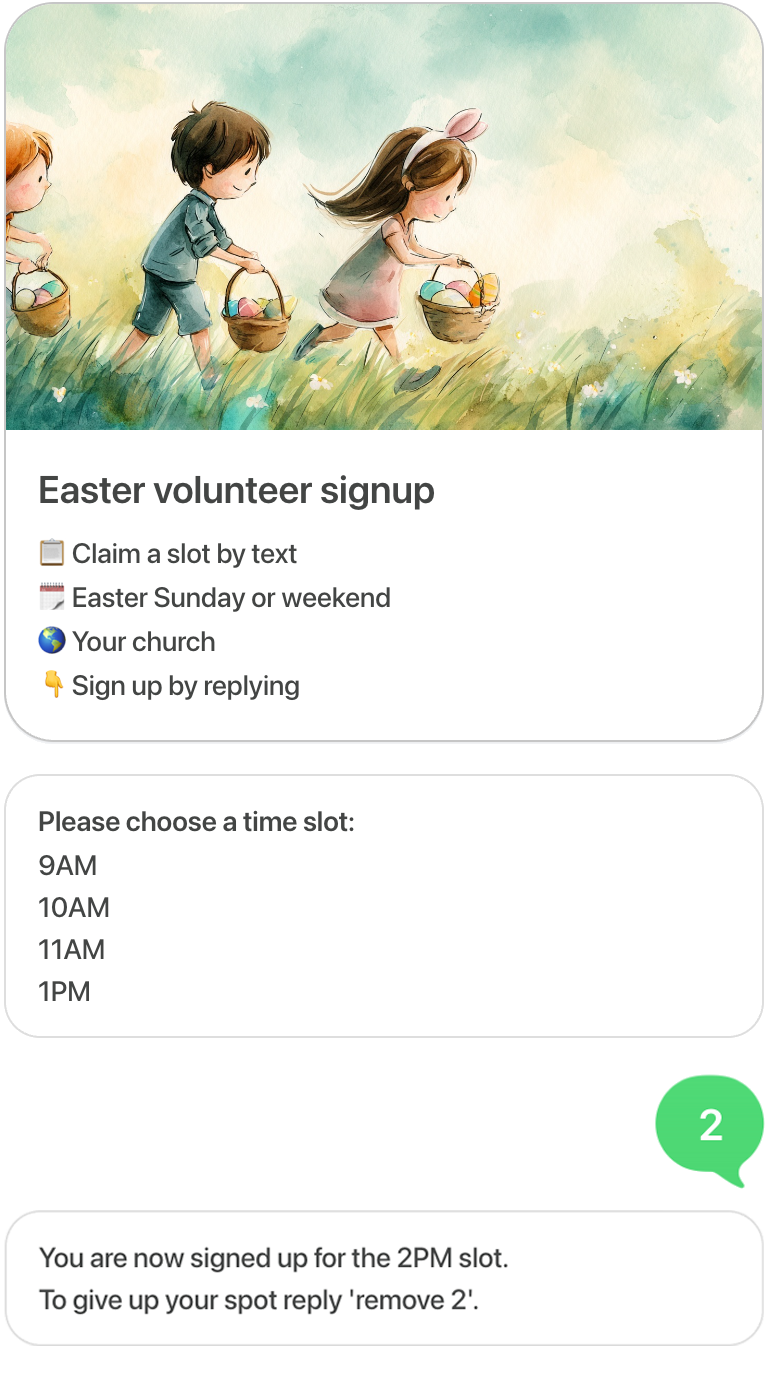
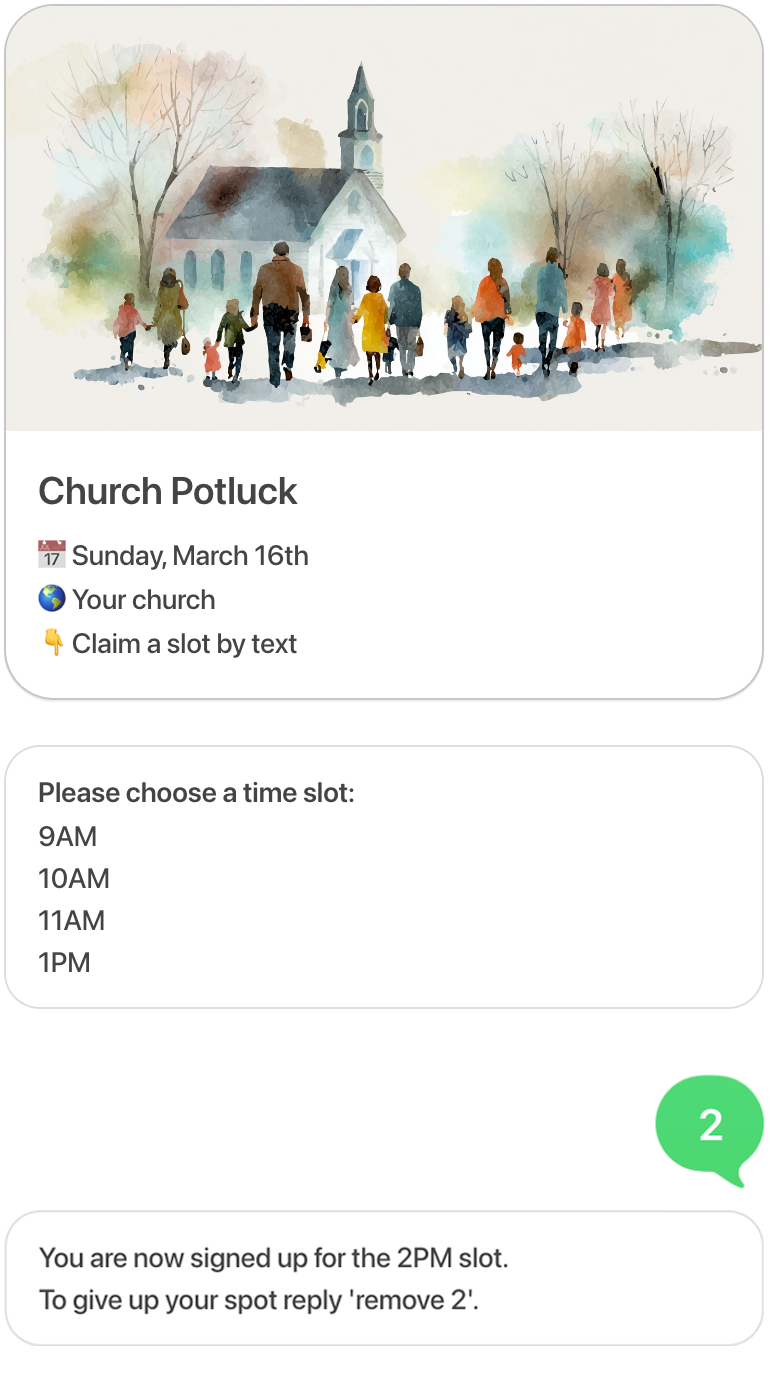
Create slots or shifts and let people claim one by replying
Great for volunteers, potlucks, meal trains, school help, and church coverage.
Why GroupText gets faster replies
The goal is not to add more software. It’s to make invites and sign-ups easier for the people on the other end of the text.
Reply where people already are
Invites and sign-ups happen in the same text conversation people are already checking.
No app, no login, no extra step
Guests and volunteers can respond immediately without downloading anything or creating an account.
See responses faster
Text is easier to notice and quicker to answer, so you get a clearer headcount without chasing people down.
Keep planning simple
Invitations, sign-ups, confirmations, and reminders all stay in one lightweight workflow.
Check out our amazing designs.

It's Tiffany's 6th Birthday!
Hosted by Kimberly Clark

Jake's Turning 3!
Hosted by Michael Douglas
Birthday.
Another year, another adventure—let’s make it unforgettable!
Kid's Birthday InvitesAdult Birthday InvitesStop collecting RSVPs in a chaotic group chat. Get a clear headcount fast by text.

Sarah & John's Wedding
Hosted by The Andersons

Elegant Reception Party
Hosted by The Bride & Groom

Baby Shower
In honor of Kimberly Clark

Baby Shower
In honor of Michael Douglas

Dinner Party
Hosted by The Andersons

Wine Tasting Party
Hosted by Jim and Mary
BUILT FOR CHURCH
Built for church events and church volunteers.
Use GroupText to invite members by text and collect RSVPs in the same conversation, or let volunteers claim spots and shifts by text — without apps, logins, or RSVP links.
Church Invitations with RSVP by Text.
Send church invitations by text and let members RSVP in the same thread. Ideal for newcomer lunches, women's events, and holiday RSVPs.
Explore Church InvitationsEaster RSVPs by TextChurch Volunteer Sign-Ups by Text.
Let volunteers choose a slot by text, get confirmation by text, and receive reminders in the same thread. Ideal for service teams, hospitality, and seasonal volunteer coverage.
Explore Church Volunteer Sign-UpsEaster Volunteer Sign-Ups by TextSAME KILLER IMAGE AS EMAIL
What is a text message invitation?
A text message invitation is an event invite delivered by text instead of email or a separate invitation website. With GroupText, hosts can send a photo invitation, include event details, and collect RSVPs by text reply in the same conversation, which makes responding faster and easier for guests.
- Sent directly by text message
- Can include photo invitation + event details
- Guests reply quickly in the text thread
- No app download required
- Great for parties, showers, and casual events
CLEAR HEADCOUNT, LESS CHAOS
How to get a clear headcount fast.
GroupText helps you get a clear headcount fast by sending a photo invitation through text and collecting RSVPs in the same conversation. Guests can reply quickly without downloading an app, and hosts can track responses and send reminders without chasing people across email or messy group chats.
- Create and send a photo invitation by text
- Guests RSVP in the same text conversation
- See a clear headcount without group chat chaos
- Send one reminder instead of chasing replies
IT'S FAST
Why use text invitations instead of email invites?
Text invitations are often easier for guests to notice and respond to because the invitation and RSVP happen in a messaging thread they already use. GroupText keeps the invite image and responses in the same conversation, reducing friction compared with email-and-link workflows.
- Faster response behavior in text
- Fewer steps to RSVP
- No inbox searching for an email later
- No app download required
- Better for quick planning and casual events
Compare & Learn About Text Invitations & Sign-ups
Text Message Invitations
Send photo invitations by text and collect RSVPs in the same conversation. No app or email required for guests.
Learn moreRSVP by Text
Collect party RSVPs by text with a simple reply flow. Guests respond quickly; hosts track responses in one place.
Learn moreEvite Alternative
A text-first Evite alternative for invitations and RSVPs. Less friction, no guest app download.
Compare optionsThe Ultimate Guide to Sign-Ups
Deep dive into volunteer signups: roles, shifts, slots, headcount, coverage, reminders, and refill workflows.
Read the guideSign up by text.
Create slots—shifts, items, potluck—and let people claim one by replying to a text. No links. No apps. Automatic reminders.
Learn More About Sign-upsWhy GroupText works better than email invites or link-based invites
People reply faster to text than to email. With GroupText, the invitation and RSVP live in the same conversation—fewer steps than links or app installs. Your invite image stays visible in the thread, so guests see the details without opening another tab.
| Criteria | GroupText | Email / Link Invite | Group Chat (manual RSVP) |
|---|---|---|---|
| Guest setup required | None. Reply in the same text thread. | Often: click link, sometimes create account or open app. | None, but host must track manually. |
| RSVP experience | Designed for text-first RSVP. Guests reply quickly in-thread. | Click link, fill form, sometimes multiple steps. | Guests type freely; no structured yes/no tracking. |
| Invite image visibility | Photo invitation visible in the text thread. | Image usually behind a link or in email body. | Depends on how host shares; often lost in scroll. |
| Host tracking | Responses tracked in one place. Clear who said yes/no. | Depends on platform; often in a separate dashboard. | Manual; host scrolls and counts. |
| Reminder workflow | Send reminders by text from the same workflow. | Often separate email or tool. | Manual follow-up messages. |
| Friction / speed | Lower friction than link-first workflows. No app download required for guests. | More steps: open email, click, load page, submit. | Low friction but no structure; tracking is slow. |
Customers
really like this product.
I hosted a baby shower and used GroupText for the invitations. The process was seamless, and the invite designs were gorgeous. It was so convenient to manage everything through text messages. Highly recommend!
Sarah, California

So does the press.






JUST A TEXT
No apps. No emails.
Event planning is as simple as sending a text message. Create stunning invitations, receive RSVPs from your guests, and set smart reminders—all within your existing text conversations.
Real-Time Updates. Get immediate feedback as guests RSVP. Watch your event come together in real time.
Stay Organized. Keep all your event details in one place. No more juggling between apps or losing track of email threads.
Seamless Participation. Guests can join in without downloading anything new, signing up, or following a link to a web page.
Do less work.
Know your headcount without chasing people
Send one reminder instead of ten follow-up texts
Get the invite seen faster in the text thread
Skip app installs and link friction
Safe, secure & completely private.
Customers really like this product.
(3,456 reviews)
All group activity happens in a text message.
Frequently asked questions
What is GroupText?
GroupText is a messaging platform designed for event invitations and RSVP coordination via text message. We ensure you receive the information directly as a text message.
How do I sign up for GroupText?
Signing up is easy! Just visit our website at grouptext.co, enter your phone number, and follow the steps to set up your account. You can start designing and sending invitations in no time.
How do I opt out of receiving messages?
You can opt out at any time by replying "STOP" or "UNSUBSCRIBE" to any GroupText message. Once you reply with "STOP," you will no longer receive any further messages from GroupText.
What should I do if I need help?
If you need assistance, simply reply "HELP" or "INFO" to any GroupText message. You will receive a response with a link to our support page and contact information for further assistance.
How do I manage my RSVP responses?
You can manage your RSVP by simply replying to the invitation text with 'YES,' 'NO,' or 'MAYBE.' If you need to change your response, just reply again with the updated response.
How do I access the RSVP list for my event?
If you are the event host or a guest of an event, you can text "LIST RSVPS" to get the most up-to-date RSVP list for your event. This will show you who has responded with "YES," "NO," or "MAYBE."
Does GroupText send marketing messages?
No. GroupText is focused solely on event invitations and updates. We never send marketing or promotional content.
How does GroupText prevent spam?
GroupText enforces a strict permission-based invitation process. Event hosts must confirm that they have the recipient’s consent before sending any messages. Additionally, all recipients can opt out at any time by replying "STOP."
Is GroupText available internationally?
Currently, GroupText is available in the United States and Canada. We are working on expanding our services to other countries soon.
How much does GroupText cost?
GroupText offers a simple pricing model: $5.00 per year membership for unlimited invitations, unlimited guests, and unlimited event photos! No hidden fees, just straightforward service.
Can I cancel my membership at any time?
Absolutely. You can cancel your membership whenever you want, with no cancellation fees. Just visit your account settings on our website to manage your subscription. Note: you will not be able to send GroupTexts to guests without an active membership.
How does GroupText ensure the privacy of my data?
At GroupText, we take your privacy seriously. We use industry-standard encryption to protect your personal information and never sell your data to third parties. All messages are secured to ensure only you have access to your information.